Cybersecurity for small businesses: the basics that stop most attacks
Most attacks on small businesses succeed because the basics are missing. Ten practical protections, what the law requires after a breach, and where to start.
Short answer: most successful attacks on small businesses do not need a genius hacker. They exploit missing basics: no multi-factor authentication, reused passwords, outdated software, untested backups and staff who have never seen a phishing email up close. Fix those ten basics and you block the large majority of everyday attacks.
Why small businesses get hit
Attackers rarely pick a target by name. Automated tools scan the internet for weak spots and send phishing emails by the thousands, then attackers go after whoever lets them in. A small business with valuable data and fewer defences is exactly what those tools find.
The good news is that the same automation means the basics work. Most attacks give up on accounts and systems that are properly protected and move on.
What attackers are usually after
- Your email account, to send convincing fake invoices to your customers or change payment details on real ones.
- Your data, to encrypt it and demand a ransom, or to steal it and threaten to publish it.
- Your money, through fake payment requests that look like they come from the owner or a supplier.
- Your systems, as a stepping stone to attack your clients or partners.
Security terms in plain English
- Phishing: a fake email or message designed to make you click a link, open a file or share a password. Vishing is the same trick by phone.
- Multi-factor authentication (MFA): a second proof of identity, such as a code from an app, on top of your password.
- Ransomware: malicious software that locks your files until you pay. We explain how to defend against it in our guide to ransomware and phishing protection.
- Patch: a software update that fixes a security flaw.
- Business email compromise: when a criminal takes over or imitates a business email account to redirect payments.
- Least privilege: giving each person only the access they need to do their job.
The ten basics
1. Turn on multi-factor authentication everywhere
Email first, then banking, accounting, cloud storage, your website and social media. A stolen password alone is no longer enough to get in. Prefer an authenticator app or security key over text messages when you can.
How to do it: start with the admin accounts for Microsoft 365 or Google Workspace, then require MFA for every user in the admin console rather than asking people to opt in.
2. Use a password manager
Unique, long passwords for every account, stored in a password manager your team shares securely. Reused passwords are how one breach becomes five.
How to do it: pick a business password manager with shared vaults, so a shared login (such as the company social media account) lives in one place and can be revoked when someone leaves.
3. Keep everything updated
Turn on automatic updates for computers, phones, browsers, your website platform and plugins. Many attacks exploit problems that were fixed months ago.
How to do it: keep a simple list of every device and system, and check once a month that updates are actually installing. Replace devices and software that no longer receive security updates.
4. Back up, and test the backup
Keep automatic backups of your important data, with at least one copy separate from your main systems so ransomware cannot reach it. Then actually restore a file from it. A backup you have never tested is a hope, not a plan.
Remember that cloud services such as Microsoft 365 or Google Workspace are not automatically a backup. Our guide to cloud backup and disaster recovery walks through how to set this up.
5. Protect your email
Email is the front door for most attacks. Use your provider’s spam and phishing filters, and set up SPF, DKIM and DMARC for your domain so criminals cannot easily send email pretending to be you.
In plain terms: SPF lists the servers allowed to send email for your domain, DKIM adds a digital signature to your messages, and DMARC tells receiving servers what to do with email that fails those checks.
6. Train your team to spot scams
Short, regular, practical training beats a yearly lecture. Teach people to pause on urgent requests for payments, passwords or gift cards, to check sender addresses, and to confirm unusual requests by phone.
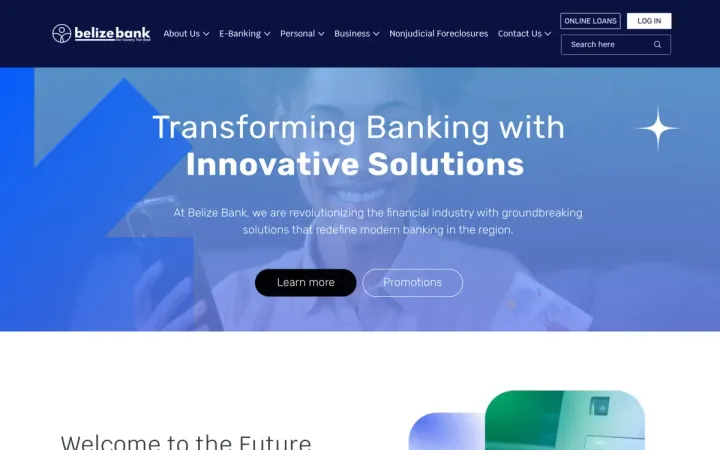
Interactive practice works. For Belize Bank, we built phishing, vishing and purchase scam quizzes that let customers test themselves on realistic examples, an approach that works just as well for your own staff.
One rule worth adopting today: any change to banking details, from a supplier or anyone else, is confirmed by phone using a number you already have on file, never one given in the email.
7. Give people only the access they need
Not everyone needs admin rights or access to every folder. Remove accounts the day someone leaves. Fewer keys means fewer doors an attacker can open.
How to do it: keep a short onboarding and offboarding checklist that lists every system, so nothing is missed when someone joins, changes role or leaves. Use separate admin accounts for admin work, not for everyday email.
8. Secure your cloud accounts and devices
Review sharing settings in your cloud storage, lock down admin accounts, encrypt laptops and phones, and make sure lost devices can be wiped remotely. Install security software on every computer, including Macs.
If you are planning a move, our cloud migration guide explains which parts of security stay your responsibility in the cloud.
9. Protect your website
Keep your platform and plugins updated, use HTTPS, limit who can log in and turn on multi-factor authentication for the admin area. Your website often holds customer data from forms. Remove plugins you no longer use, since each one is code that needs patching.
10. Have a plan for when something goes wrong
Write down who to call, how to disconnect affected systems, how to restore from backups and how to reach customers. Twenty minutes of planning saves days of panic. The next section gives you a starting point.
A simple incident plan: the first hours
When something looks wrong, such as a ransom note, strange logins or a customer asking about an invoice you never sent, work through these steps:
- Stay calm and do not pay or reply to the attacker.
- Contain it. Disconnect affected computers from the network, but do not wipe them, since they hold evidence.
- Call for help. Contact your IT or security provider, and your cyber insurer if you have one, since your policy may set out steps you must follow.
- Secure accounts. Reset passwords and sign out all sessions for affected accounts, starting with email and admin accounts.
- Write things down. Record what happened, when, and what you have done. You will need it for reporting.
- Restore carefully from backups you know are clean.
- Assess and report. Decide whether personal information was involved (see below) and report the incident to the right organizations.
- Learn from it. Once things are stable, fix the gap that let the attacker in.
Print the plan with phone numbers on it. If your systems are down, a document stored on them is no help.
Where to report in Canada
- The Canadian Centre for Cyber Security accepts cyber incident reports from businesses. Reporting helps them warn and protect other organizations.
- Your local police and the Canadian Anti-Fraud Centre if you have been a victim of fraud or cybercrime, for example a redirected payment.
- The Office of the Privacy Commissioner of Canada if the breach involves personal information and meets the threshold below.
What Canadian law expects after a breach
If your business handles personal information, the federal privacy law PIPEDA applies. Since November 2018, organizations must:
- Report breaches of security safeguards that create a real risk of significant harm to the Office of the Privacy Commissioner of Canada.
- Notify the affected individuals, and in some cases other organizations that can reduce the harm.
- Keep a record of every breach, whether reportable or not, for 24 months.
To decide whether there is a real risk of significant harm, the Privacy Commissioner’s guidance points to two main factors: how sensitive the information is and how likely it is to be misused. Notice to individuals should be given as soon as feasible once you have determined the breach meets that threshold. Knowingly failing to meet the reporting, notification and record-keeping requirements is an offence that can lead to fines.
Good basics make breaches less likely, and good records make them easier to handle if one happens. This is a summary, not legal advice.
Common mistakes to avoid
- Thinking “we are too small to be a target.” Automated attacks do not check your size first.
- MFA on some accounts, not all. Attackers look for the one account without it, often an old shared mailbox or a former employee’s login.
- Everyone is an admin. It is convenient until one compromised laptop can change everything.
- Backups on the same network. Ransomware encrypts what it can reach, including backup drives that are always connected.
- Training once, then never again. Scams change, and people forget. Short, regular refreshers work better.
- No written plan. In a crisis, people improvise, and improvised decisions are often expensive ones.
A quick self-check
Answer yes or no. Every “no” is a priority.
| Question | Yes / No |
|---|---|
| Is MFA required on every email and admin account? | |
| Does everyone use a password manager? | |
| Are updates installing automatically on all devices? | |
| Have you restored a file from backup in the last three months? | |
| Is at least one backup copy kept separate from your network? | |
| Are SPF, DKIM and DMARC set up for your domain? | |
| Has your team had scam awareness training this year? | |
| Are accounts removed the day someone leaves? | |
| Do you have a printed incident plan with phone numbers? |
Free Canadian resources
- The Canadian Centre for Cyber Security publishes free guidance, including baseline security controls for small and medium organizations. The guide sets out 13 controls, from an incident response plan and automatic patching to backups, strong authentication, employee training and securing cloud services and websites. It is a solid checklist to measure yourself against.
- CyberSecure Canada is a federal certification program for small and medium-sized businesses that want to show customers they meet a recognized baseline.
What to ask a cybersecurity provider
If you bring in outside help, ask:
- Will you start with an assessment, and what will the report include?
- How will you rank our risks, and what do you recommend we fix first?
- Which of our existing tools can we use better before buying new ones?
- Will you help us write and test an incident plan?
- What happens if we have an incident at night or on a weekend?
- How will you train our staff, and how often?
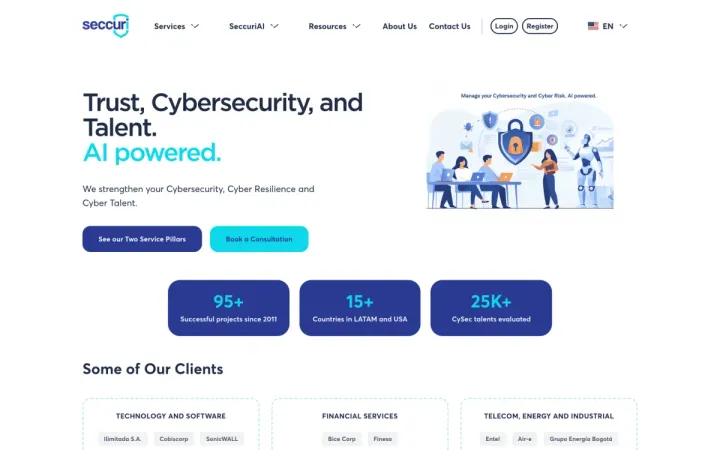
Good specialists are hard to find. We have seen that first hand: for Seccuri, we built the MVP of a platform that registers security professionals and matches them with companies’ needs using analytics. Whoever you choose, look for someone who explains risks in plain language and helps you prioritize, not someone who sells fear.
Where to start
- Turn on multi-factor authentication for email today.
- Check that your backups run and that you can restore from them.
- Book a security review to find and rank the rest of your risks.
Our cybersecurity service starts with exactly that review: a clear, prioritized report of your risks and what it takes to fix each one, without the enterprise price tag. If your systems are moving to the cloud, our cloud and data service can set them up securely from the start. Get in touch to book yours.
Frequently asked questions
Is my small business really a target for cyber attacks?
Yes. Most attacks are automated and look for easy openings, such as reused passwords, missing updates or an employee who clicks a convincing email. Smaller companies are often hit precisely because they have fewer defences.
What is the single most important thing I can do?
Turn on multi-factor authentication for email and every important account. It stops most attacks that rely on stolen passwords, and it costs little or nothing.
Do I have to report a data breach in Canada?
Under PIPEDA, organizations must report breaches of security safeguards involving personal information that create a real risk of significant harm to the Office of the Privacy Commissioner of Canada, notify the affected individuals, and keep a record of every breach for 24 months.
Where should a small business start with cybersecurity?
Start with a security review that lists your risks in order of priority. Then fix the basics: multi-factor authentication, updates, backups you have tested, a password manager and short training for your team.
Who do I contact if my business is hit by a cyber attack?
Follow your incident plan, call your IT or security provider, and report the incident to the Canadian Centre for Cyber Security. If money or fraud is involved, contact your local police and the Canadian Anti-Fraud Centre, and if personal information is affected, assess whether you must report to the Privacy Commissioner.
Do I need antivirus if I use a Mac or work in the cloud?
Yes, some form of security software is still worth having on every device. Macs and cloud tools reduce some risks, but stolen passwords, phishing and malicious downloads affect every platform.
Is there a free Canadian checklist for small business security?
Yes. The Canadian Centre for Cyber Security publishes free baseline security controls written for small and medium organizations, covering areas such as patching, backups, authentication, training and incident response.
Proof, not promises